
ShieldLog Premium
Soon
- Encrypted backup
- Person and vehicle profiles
- Export your log as a PDF
Private by design
ShieldLog keeps a dated log of incidents, vehicles and voice notes on your phone, behind your own PIN and Face ID, so you have a clear record when it matters.
Version 1.8.0 · Released Nov 27, 2026 · New versions arrive inside the app
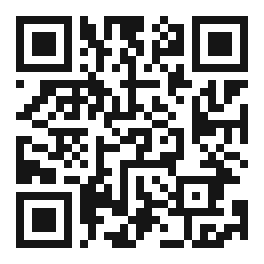 Scan to open on your phoneThen tap Share, Add to Home Screen.
What's new in 1.8.0
Choose how ShieldLog looks, without changing how it works. Original ShieldLog stays the default. Go to More › Appearance & Themes, tap a theme to preview it, then tap Apply.
Original ShieldLog, Midnight Black, Navy Blue, Tactical Green, Graphite Gray and Professional Light. System Default follows your phone's light or dark setting.
The whole app changes while you preview. Nothing is saved until you tap Apply, and Cancel goes straight back.
Your choice stays after you close the app and after updates. Restore original theme is one tap away.
SOS, Call 911 and Backup due stay emergency red in every theme. Your records, photos and videos are never touched.

Point your camera at a plate, a paper temporary tag or a VIN, or use a photo you already took. ShieldLog reads it on your phone, shows where every detail came from and highlights anything it isn't sure about. VINs decode with the official NHTSA decoder. Plate-to-VIN lookup from the plate alone is not available yet.
Watch
Real screen recordings of ShieldLog, with narration and captions. Nothing plays until you press play.
Tap CC in the player for captions. Demonstrations use fictional data.
Features
Write down what happened, when and where, with each entry dated.
Scan a plate, temp tag or VIN with your camera or a photo. You confirm anything uncertain before it's sealed.
Talk instead of type when you can't stop to write.
Pick Original, Midnight Black, Navy Blue, Tactical Green, Graphite Gray, Professional Light or System Default. Preview before you apply.
PIN and Face ID protect the app. Your entries stay on your phone.
Screenshots

How to use
What each feature does, where to find it, and what it can and can't do.
What it does: opens the evidence camera and seals each photo or video with a SHA-256 fingerprint, the date, time and GPS location.
Where: Home › Record evidence.
How: tap Photo, or the red button to record video, then Done to seal. ShieldLog keeps the original untouched plus a copy with the date, time and place stamped on it.
Good to know: allow camera, microphone and location the first time. Without location the entry is still sealed, just without GPS. Zoom isn't available in the evidence camera; use the scanner's zoom for vehicles, or your phone camera and Upload.
What it does: reads a license plate or a paper temporary tag from your camera or a photo, and fills in the details it can read: the plate or tag number, the state name when it is printed, and for temp tags the VIN, dates and vehicle printed on them.
Where: Home › Scan a car, then choose Plate or Temp tag.
How: fit the plate inside the gold frame (drag or resize it), hold steady and straight on, tap Scan. Check anything highlighted, confirm the state, add notes and tap Save evidence. Zoom and flashlight appear on phones that support them.
Good to know: reading happens on your phone and photos are not uploaded. ShieldLog reads characters. It does not tell you who owns a vehicle. Look-alike characters such as O and 0 are always highlighted for you to confirm. A printed expiration date does not prove a registration is valid. The first scan downloads the reader once, after that plate reading also works offline.
What it does: reads a 17-character VIN or its barcode, checks that it is well formed, and can decode the year, make, model and specifications using the official NHTSA decoder.
Where: Scan a car › VIN, or any temp tag that has a VIN printed on it.
How: frame only the VIN and tap Scan, then Decode VIN. If you're offline, save now and use Decode VIN now from the Timeline later.
Good to know: only the VIN is sent, and only to NHTSA. A decoded VIN describes a vehicle. It doesn't prove the VIN belongs to a particular plate. Looking up a vehicle from its plate alone isn't available yet. Only scan a VIN you can see lawfully, and never enter or touch a vehicle that isn't yours.
Where: Home › Voice note, or Home › Write what happened.
How: talk when you can't type. When you're safe, write what happened, when, where, the vehicle, the people involved and any witnesses, and attach photos or files.
Good to know: every entry is sealed. To add details later, use Add details: the original stays sealed and the new details are linked to it.
Where: the Timeline and Vehicles tabs.
How: search by plate, place or words, and filter by type. The Plate Tracker counts every plate you log and flags a plate that appears in two or more separate incidents.
Where: More › Report, and More › Backup.
How: build an organized incident report to print, save as PDF or share with police or your lawyer. It includes each entry's fingerprints and an integrity check. Share original files from any entry. Make an encrypted backup file regularly and keep it off your phone.
Good to know: whether evidence is accepted depends on the law and how it was collected. ShieldLog is not legal advice.
Where: Home, under the main buttons.
How: SOS opens your messages app with a text to your trusted contacts that includes your location. You still press Send. Call 911 dials directly. Add trusted contacts in the Case tab.
Good to know: ShieldLog is not a monitored emergency service and can't see whether a text was delivered.
Where: More.
How: log out any time. Turn on Face ID or Touch ID where supported, and auto-lock. Street names is optional: when it's on, only the GPS point is sent to OpenStreetMap to look up the address.
Good to know: your entries are encrypted on your phone with your password. Keep your recovery key safe.
What it does: changes ShieldLog's colors. Original ShieldLog is the default.
Where: More › Appearance & Themes.
How: tap a theme to preview it across the app, then tap Apply to keep it or Cancel to go back. Tap Restore original theme any time.
Good to know: System Default follows your phone's light or dark setting. Emergency colors (SOS, Call 911, Backup due) never change, and themes never touch your records, photos or videos.
Install
Scan the QR code or open the link in Safari. Tap Share, then Add to Home Screen. ShieldLog opens full screen, like any app.
Open the link in Chrome. Tap the menu, then Install app (or Add to Home screen).
Open the link in Chrome, Edge or Safari. In Chrome or Edge you can install it from the address bar.
iPhone and iPad with iOS 16.4 or later; Android with current Chrome; current Chrome, Edge or Safari on computers. The vehicle scanner needs Safari 16.4+, Chrome or Edge 91+; on older devices you can still type vehicle details.
Release notes
Plans
ShieldLog is in development. Plans and a free trial will be listed here at launch.
Features marked coming soon are not in the app yet.
Help and support
Ask a question, report a problem or share an idea. A real person reads every message.
Write to us any time. We reply within one business day.
shieldlog@stylish3tees.comGoes straight to our support team.
FAQ
On your phone, encrypted and locked with your password (and Face ID if you turn it on). Make a backup file regularly so a copy exists off your phone.
No. ShieldLog reads the characters on a plate or tag and can decode a VIN. It never looks up owner names or addresses and does not connect to any police or DMV database.
No. Plates and tags are read on your phone. Only a VIN is sent, to the official NHTSA decoder, when you tap Decode.
After your first scan downloads the reader, plate and tag reading works offline. VIN decoding needs an internet connection; you can save first and decode later.
Open ShieldLog, tap More, then Update app. Your entries stay on your phone and carry over.
No. ShieldLog is a personal safety tool and is not affiliated with any police department or agency.
Yes. Use the form or email us. We read every message.
Privacy and terms
ShieldLog has no tracking, no ads and no analytics inside the app. Your entries, photos, videos and notes are encrypted on your phone with your password and are not uploaded. The only things ShieldLog sends out are: a VIN to the official NHTSA decoder when you tap Decode, the GPS point to OpenStreetMap if you turn on Street names, and app update checks. Backups and shared reports go only where you choose to save or send them. Messages you send from this page reach our support team.
ShieldLog is a personal safety and documentation tool. It is not an emergency service, not legal advice, and not affiliated with any police department. You are responsible for using it lawfully: document what you see from where you are allowed to be, never trespass or touch a vehicle that isn't yours, and don't use ShieldLog to track or harass anyone. Scan results can be wrong; check them before relying on them. Whether evidence is accepted depends on the law and how it was collected.
Full policy and terms documents are being finalized. Questions: shieldlog@stylish3tees.com